Inventory & purchasing · Fiji retail
Inventory management
with a clearer picture.
What arrived? What sold? What is really on the shelf? Bring those questions into one workflow, from product setup and purchasing to receiving, counts and stock adjustments.
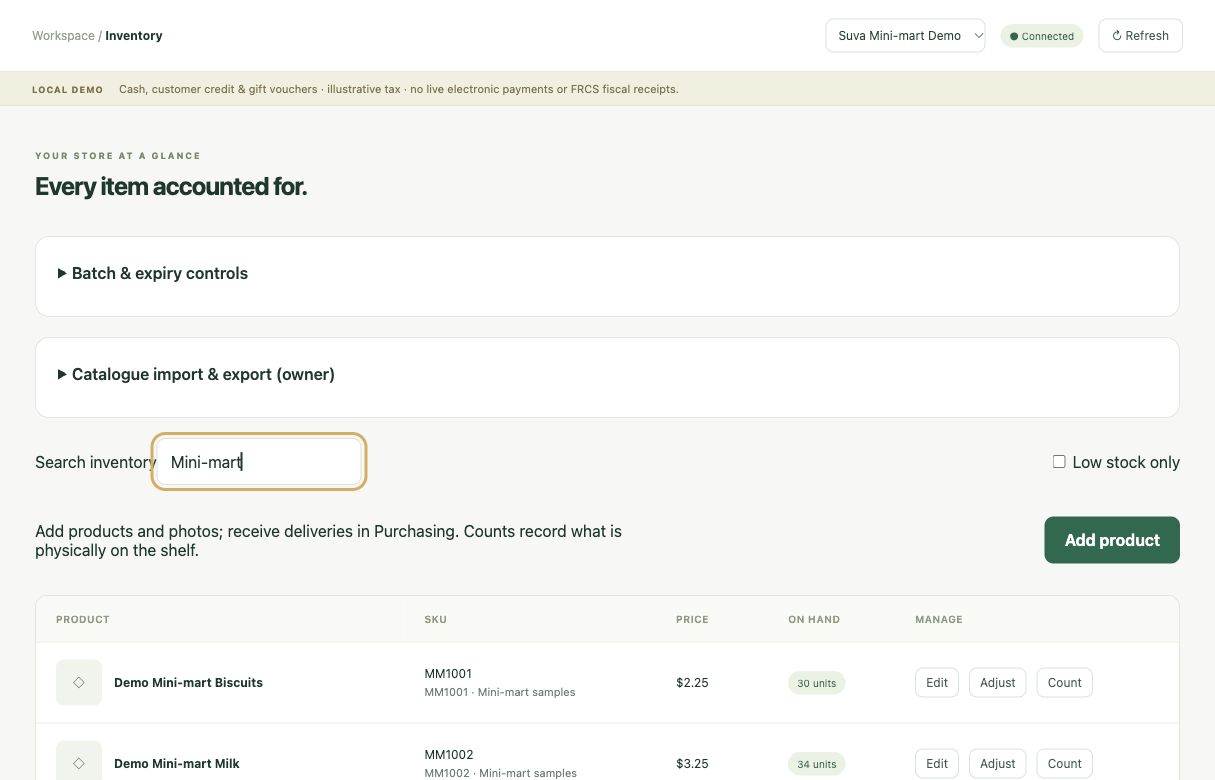 View screen
 Make room for
the work that matters.
- ↗Product details, costs and images
- ↗Physical stock counts and adjustments
- ↗Purchase orders and partial receiving
Can I add new products and stock images?
Yes. The Phase 3 development build includes product creation, product photos and inventory controls. The screen shown here is from that build, using sample stock. These are not connected features of the separate hosted V2 demo.
Inventory workflows are in development. Hardware compatibility and operating procedures need validation before rollout.
A simple next step
Your store. Your questions.
Your first look.
No software purchase. No payment details. Start with the workflows that matter to your business.
- 01
Tell us about your shop.
Share your store type and what you want to explore: checkout, stock, purchasing or reporting.
- 02
Get approved access.
We review your request and add your email to the private demo. Access is not automatic.
- 03
Explore at your pace.
Open the demo link and use the code emailed to you. No Cloudflare account needed.