In development. Designed for Fiji retail. See product status

Point-of-sale software for Fiji retailers

Your store.
Connected.

Connect the counter, stockroom and owner’s view. Explore checkout, purchasing, customer accounts and reporting in a private demo built for Fiji retailers.

✓ No payment details✓ Invite-only demo
Inside the retail workspace 01 / CHECKOUT
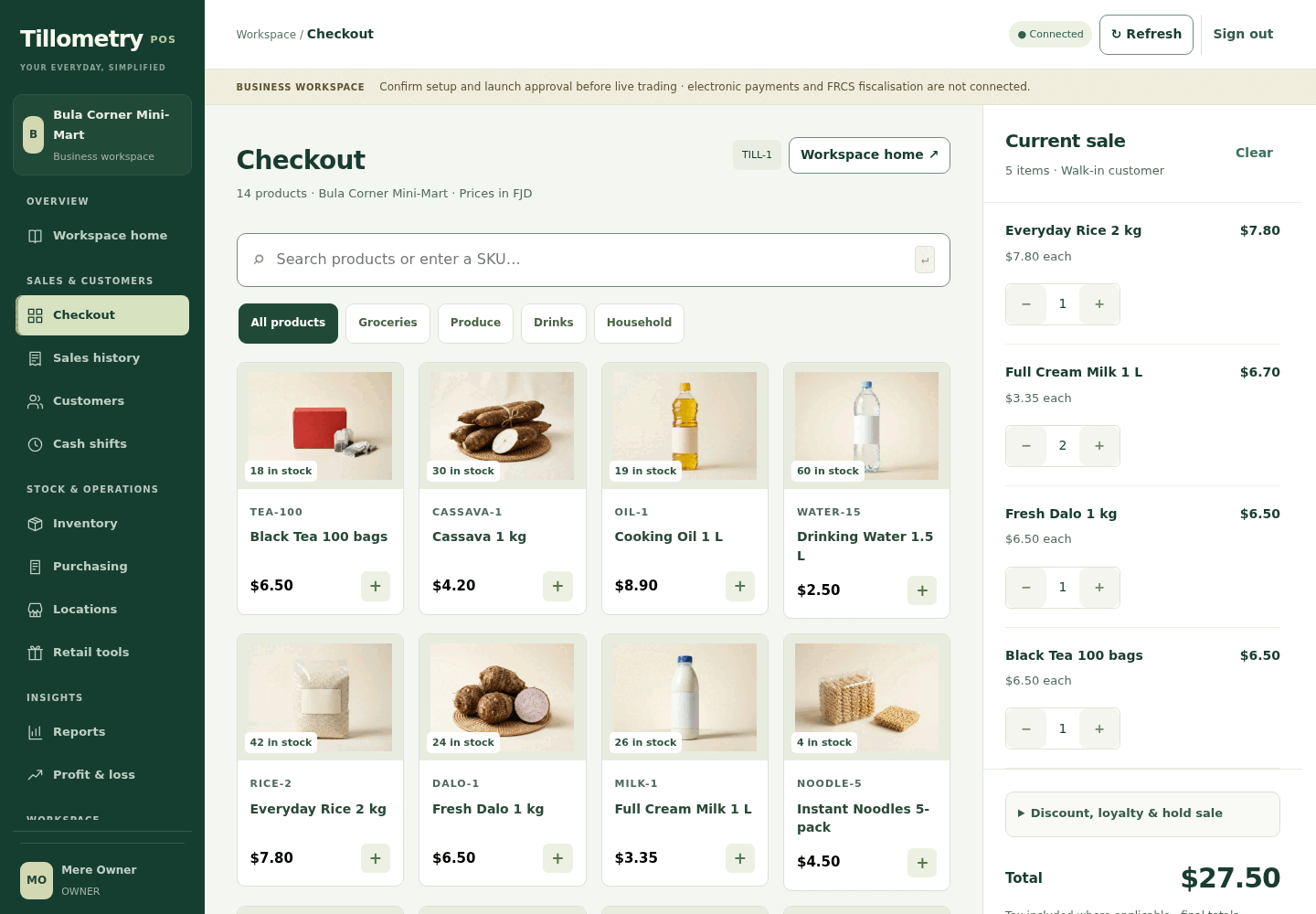
Tillometry development checkout with grouped workspace navigation, sample products and an empty sale basketView screen
Actual Phase 3 development screen · sample data · not a live store
Checkout, stock and reporting.
Connected in one workspace.
Designed for mini-marts
& independent retailers.

Made for your
kind of busy.

Neighbourhood mini-martsGeneral retailersIndependent storesFind your fit

Less disconnected. More in view.

Three connected workflows.
One retail workspace.

The sale, the shelf and the bottom line are connected. Tillometry is being developed to help you follow that story.

Point of sale

Keep the queue moving.
Keep the details.

A customer at the counter should not mean losing sight of the details. Explore a product-led checkout, saved sale records and the workflows behind returns and customer credit.

  • Find products by name or SKU
  • Build a basket and review the total
  • Explore refunds and customer accounts
Explore point of sale
Tillometry development checkout with grouped workspace navigation, sample products and an empty sale basketView screen
Actual Phase 3 development screen · sample data · not a live store

Inventory & purchasing

Less shelf guesswork.
More stock clarity.

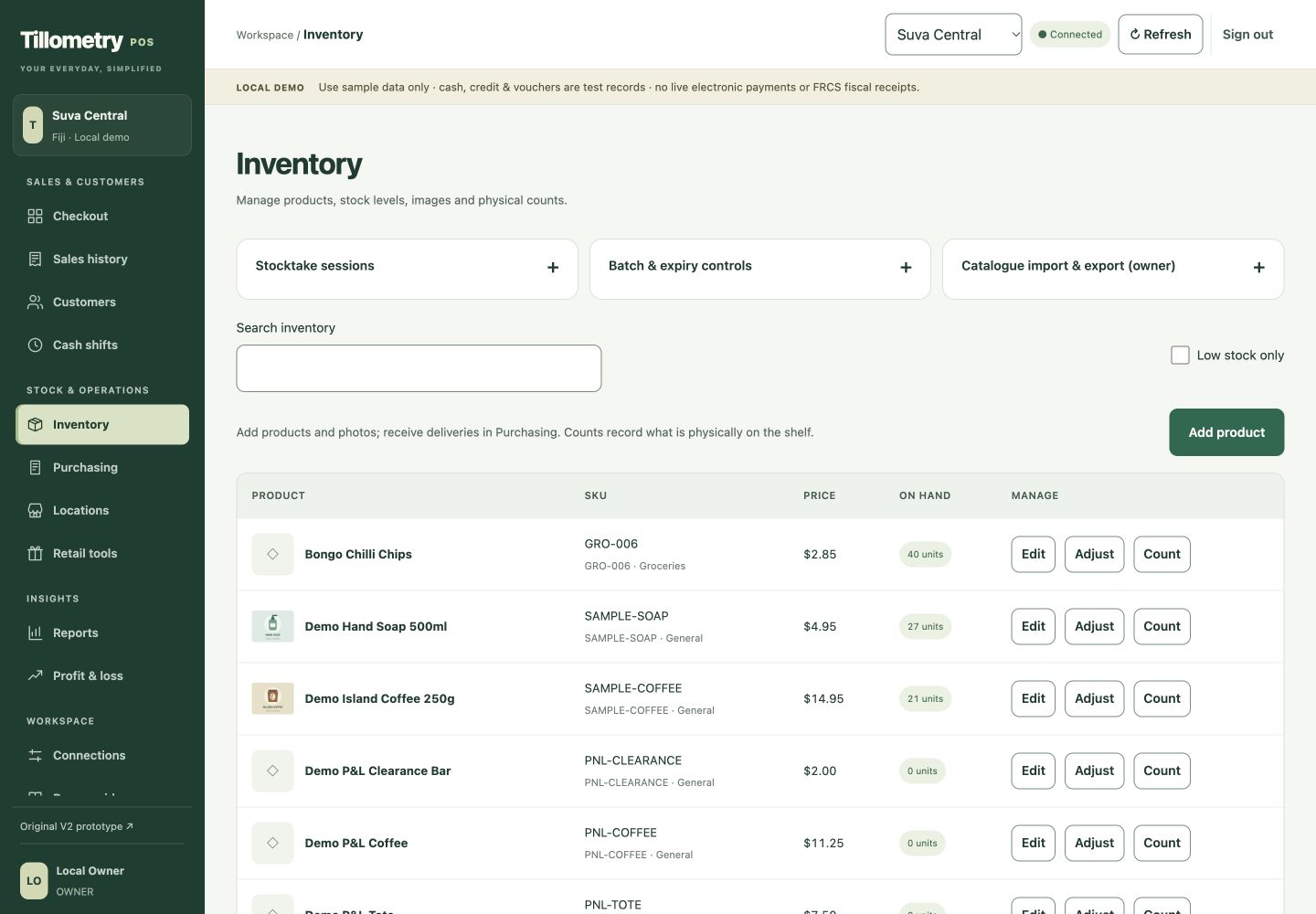
What arrived? What sold? What is really on the shelf? Bring those questions into one workflow, from product setup and purchasing to receiving, counts and stock adjustments.

  • Product details, costs and images
  • Physical stock counts and adjustments
  • Purchase orders and partial receiving
Explore inventory & purchasing
Tillometry development inventory screen with product search, stock tools, sample product images and explicit in-stock and out-of-stock labelsView screen
Actual Phase 3 development screen · sample data · not a live store

Owner reporting

Sales tell one story.
Profit tells another.

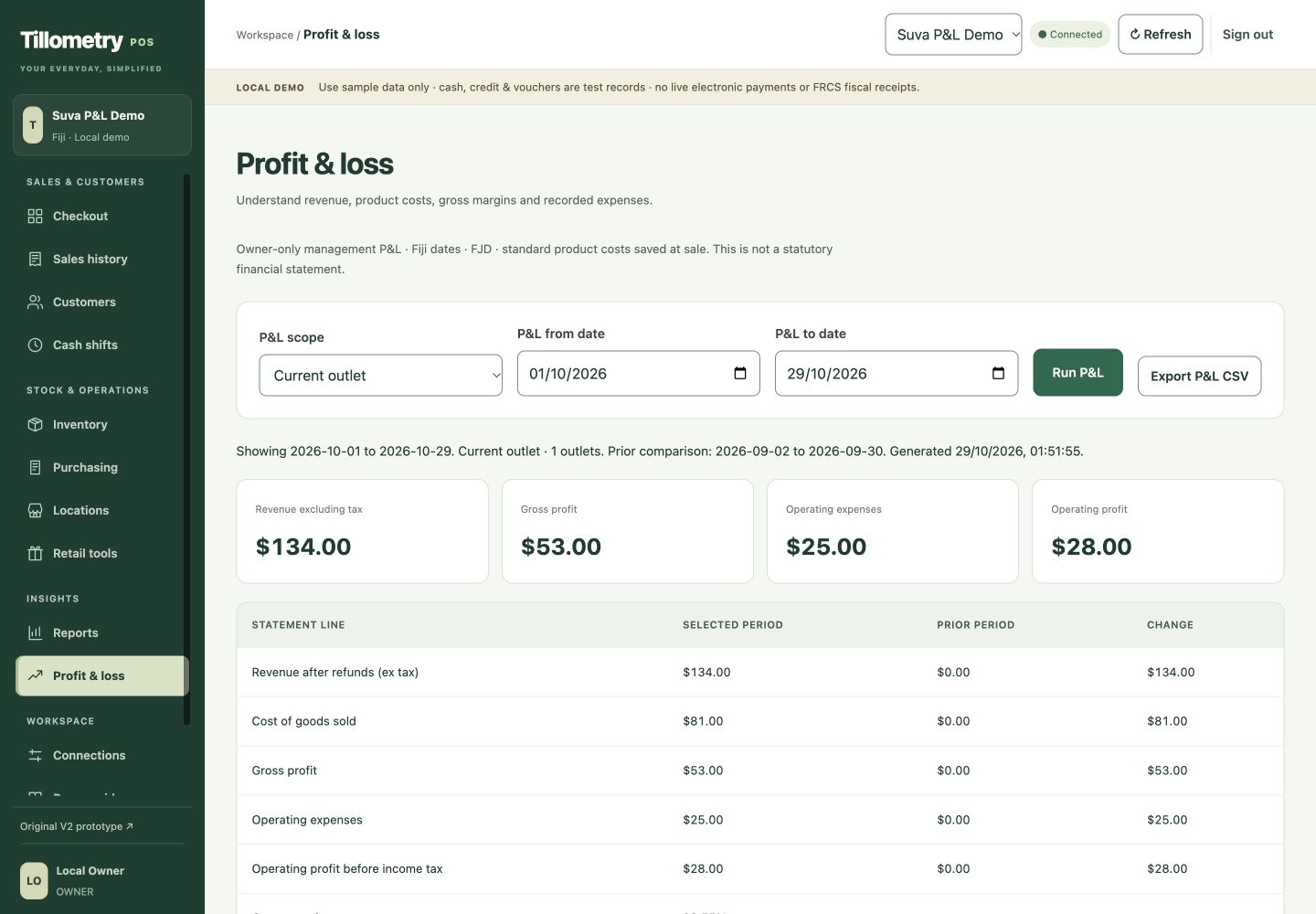
A busy shop is only part of the picture. Explore owner reporting that puts product costs, margins and operating expenses alongside sales, so the questions behind the numbers are easier to ask.

  • Revenue, product costs and gross margins
  • Recorded expenses and operating profit
  • Date filters and CSV report exports
Explore owner reporting
Tillometry seeded profit and loss report showing revenue, cost of goods, gross profit, operating expenses and operating profitView screen
Actual Phase 3 development screen · sample data · not a live store

THE EVERYDAY DESERVES BETTER TOOLS

For the first customer.
The last delivery.
And the owner behind it all.

You know your customers. You know your shop. We’re building a retail platform that helps you keep the moving parts in view—without losing the personal touch.

Why we’re building Tillometry

A simple next step

Your store. Your questions.
Your first look.

No software purchase. No payment details. Start with the workflows that matter to your business.

  1. 01

    Tell us about your shop.

    Share your store type and what you want to explore: checkout, stock, purchasing or reporting.

  2. 02

    Get approved access.

    We review your request and add your email to the private demo. Access is not automatic.

  3. 03

    Explore at your pace.

    Open the demo link and use the code emailed to you. No Cloudflare account needed.

Request a demo
IN DEVELOPMENT

A clear promise.
An honest starting point.

Explore the private Phase 3 demo with persistent sample data and an assigned business workspace. Live payments and FRCS accreditation remain unfinished.

Check product readiness